
Refresh: A practical tool stack for Filipino virtual assistants: Workspace, chat, CRM, payouts, and where Salag sits as the client-to-payment layer.

 15 min read
Introduction
Most "tools every VA needs" lists sell subscriptions. They stack Canva, Notion, Zapier, ClickUp, ChatGPT, CapCut, and five CRMs as if you must buy all of them before your first interview.
That is how beginners burn money and still show up late on invoices.
This guide is for Filipino VAs who want a practical stack: what you need to deliver work, what you need to get paid, and where Salag sits without pretending to replace Gmail or Canva.
You will leave with layered picks, a copyable checklist, ALIGN steps for installing access, and clear lines between this post, the AI skills beginner guide, and the GoHighLevel demand guide.
Why tool lists fail Filipino VAs
Tool stress usually comes from three mistakes.
First, logo collecting. You add every app a YouTube video named, then freeze when a client asks for a Loom walkthrough of one real workflow.
Second, missing the money layer. You can be excellent in Sheets and Slack and still lose weeks to vague chat deals, missing invoices, and "I thought you got paid."
Third, confusing skill posts. AI prompting is a habit set. GoHighLevel is a specialist CRM skill. Neither is your full essential stack. Mixing them into one panic list creates noise.
Essential means: without this layer, delivery or payment regularly breaks. Nice-to-have means: add when a paid seat needs it.
What "essential" means in plain words
Think in layers, not brands.
- Work files and email: Google Workspace or Microsoft 365.
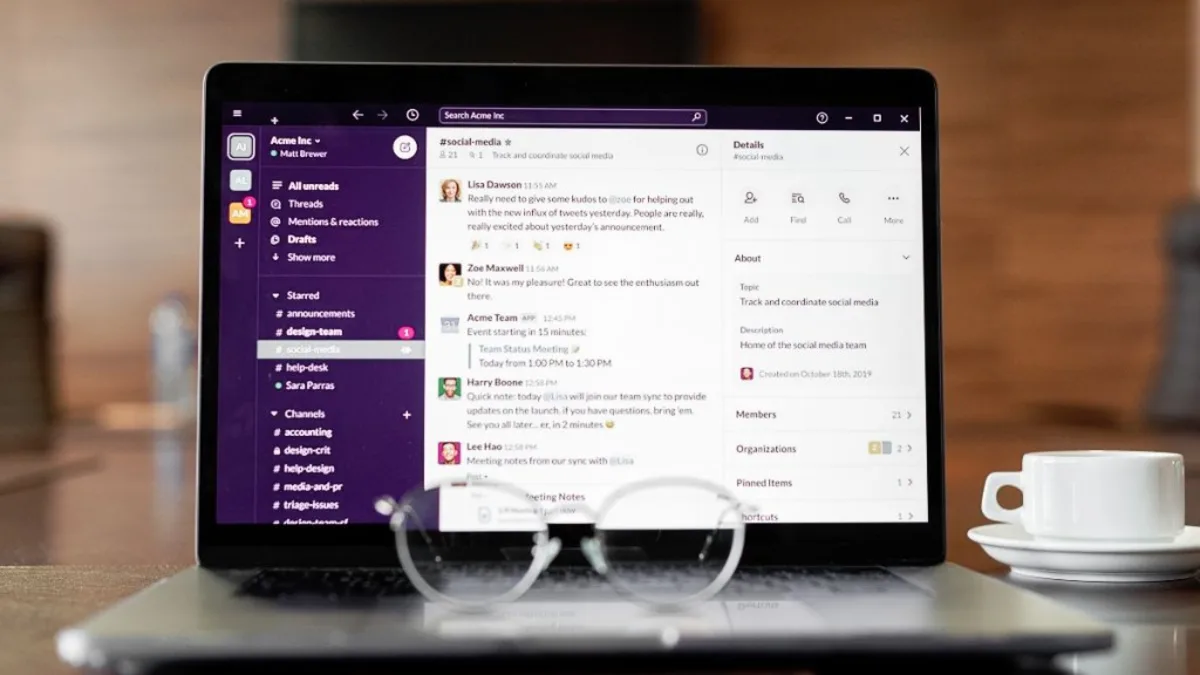
- Chat and meetings: Slack, Teams, WhatsApp Business, Zoom, or Meet (pick what the client already uses).
- Tasks and status: ClickUp, Asana, Trello, Notion, or a shared Sheet.
- Light creative (niche): Canva, CapCut when the offer needs visuals.
- Client ops / CRM (when needed): HubSpot, GoHighLevel, or a simple tracker.
- Payouts: Wise, PayPal, bank, platform escrow.
- Client-to-payment workspace: agreements, proof, invoices, payment match (Salag).
Layers 1 to 3 keep work moving. Layer 6 moves money. Layer 7 protects you when chat memory fails. Layers 4 and 5 are role-based.
Salag does not compete with Canva for graphics or with Gmail for inbox. Salag holds the business thread from "yes, let's work" to "invoice paid and matched."
Layer 1: Workspace (non-negotiable)
If you cannot live in Docs, Sheets, Drive, and Calendar, most remote seats will feel hard.
What to master first
- Shared Drive or client folder with clear names
- Comment and Suggest mode in Docs
- Sheet trackers with filters, not decorative colors only
- Calendar with time zones labeled
- Gmail labels or filters so client threads stay findable
Microsoft 365 is the twin stack when the client is Outlook-first. Same idea: files, mail, calendar, clean handoff.
What not to overbuy
You do not need twenty Workspace marketplace apps on week one. You need reliable links and version control so nobody asks "which file is final?"
Layer 2: Chat and meetings
Remote work fails when everything is voice-only and nothing is written.
Pick the client's channel
Slack, Microsoft Teams, WhatsApp, Telegram, email: the "best" chat tool is the one your paying client already opens daily.
Your job inside chat
- Confirm decisions in a short written recap
- Move scope changes out of emoji reactions into a note
- Keep a quiet place for approvals (email or Salag agreement), not only disappearing chat
Zoom or Google Meet covers calls. Record only when allowed. Store the summary where the client can find it.
Layer 3: Task board (one is enough)
You need one place that answers: what is next, what is blocked, what is done.
ClickUp, Asana, Trello, Monday, Notion, or a shared Sheet all work. Mastery of one board beats shallow logins on five.
If the client already has a board, learn theirs. Do not force a second system unless they pay you to rebuild ops.
Layer 4: Light creative tools (only if you sell them)
Canva covers social tiles, simple carousels, and light brand edits. CapCut covers short video when that is in your offer.
If your lane is inbox, research, data entry, or bookkeeping, Canva can wait. Add it when a paid client asks or when you choose a creative niche on purpose.
Layer 5: CRM and specialist ops (role-based)
A solo VA with two clients often needs a sheet, not HubSpot.
Upgrade when:
- You manage pipelines or lead lists for a client
- An agency seat requires their CRM
- Your niche is ecom, real estate, or coaches who live in one platform
GoHighLevel is a strong specialist skill for agencies and coaches. It is not a beginner requirement for every Filipino VA. When a post asks for GHL, read why GoHighLevel is in demand in 2026 and treat it as a paid specialty on top of your core stack.
Shopify, QuickBooks, Klaviyo, and similar tools follow the same rule: learn when the seat pays for that lane.
Layer 6: Payouts and money movement
Delivery without a payout path is charity.
Set up early:
- Wise and/or PayPal
- A bank account in your name
- Clear fee ownership in writing (who pays transfer fees)
- Invoice habit with due dates, not "pay when you can"
Currency and channel belong in the same note as your rate. Salag's recommended floor stays $5/hr with tight scope and proof. Tool speed does not justify racing below a sustainable floor. Check numbers with the Rate Calculator before you accept a pilot.
Layer 7: Salag as the client-to-payment workspace
Here is the gap most listicles skip.
Gmail holds threads. Drive holds files. Slack holds chatter. None of those systems were built to keep your deal, proof, invoice, and payment match in one calm place.
Salag's job in your stack:
- Turn chat yes into written terms (Agreement Builder)
- Keep proof tied to what you sold
- Create clear invoices (Invoice Generator)
- Match payment to the right invoice so "I paid already" debates shrink
- Screen risky posts before you install tools (Job Post Scanner)
Salag is not another Canva. It is not another ClickUp. It sits beside them as the protection layer from client yes to cleared pay.
How this post stays distinct from AI and GHL guides
| Post | Question it answers | What it is not |
|---|---|---|
| This tools guide | What layered stack do I need, and where does Salag fit? | Not a prompting course |
| AI virtual assistant skills for beginners | How do I use AI with review rules and honest proof? | Not your full Workspace-to-payout map |
| Why GoHighLevel is in demand | Why do agencies hire GHL operators, and how do I price that skill? | Not a starter stack for every VA |
If you only need prompting practice, open the AI guide. If a job is GHL-heavy, open the GHL guide. If you need the whole essential tools picture, stay here.
ALIGN Protocol for your tool stack
Use ALIGN whenever you add a client login or a new paid app.
A - Agree the package in numbers
Write hours, rate at or above $5/hr, task list, which tools are in scope, and who pays for seats.
Checkpoint: Can a stranger read the note and know which apps you will touch?
L - List proof and reporting
Name where work shows: Drive folder, board status, Loom, weekly bullets. Name where invoices live.
Checkpoint: Will the client see progress without hunting five chats?
I - Install tools and access in stages
Start with the minimum: one Drive folder, one chat channel, one board. Delay bank, ads manager, domain registrar, and owner CRM until payment terms exist.
Checkpoint: Do you hold only the access this package needs?
G - Guard changes
New tool requests often hide unpaid extras ("quick Zapier build," "rebuild the Notion wiki"). Name hours, swap tasks, or next package.
Checkpoint: Did the new tool get a written home and a fee?
N - Net payment on a calendar
Write invoice date, due date, and channel before you hold sensitive logins.
Checkpoint: Do you know when money should arrive?
Turn the same words into terms with the Agreement Builder. Keep chat, agreement, and invoice aligned.
Copyable stack checklists
Paste these into a Doc and tick what you already have. Customize the brackets.
Starter stack (first paid seat)
Filipino VA starter stack checklist for [Your Name]
- Google Workspace or Microsoft 365 ready (Docs, Sheets, Drive, Calendar, email).
- Primary chat app the client uses: [Slack / Teams / WhatsApp / Email].
- One task board or shared Sheet for status.
- Password manager set up (Bitwarden, 1Password, or similar).
- Cloud backup habit for your own templates (not only client Drive).
- Wise and/or PayPal open; bank account ready.
- Rate floor set at $5/hr or higher for [offer]; checked in Rate Calculator.
- Salag account for agreements, invoices, and payment match.
- Job Post Scanner habit before installing client tools.
- One Loom or screen demo of [Workspace or board] I can show in interviews.
Out of scope for now: [Zapier / CapCut / GHL / other] until a paid seat needs it.
Growing stack (2 to 5 clients)
Growing VA stack checklist for [Your Name]
- Per-client Drive or folder template with naming rules.
- Shared status board or weekly report template.
- Time notes that match invoices (hours, dates, tasks).
- Canva or niche tool only if sold in the offer: [yes / no].
- Light automation only for paid workflows: [Zapier / Make / none].
- Client tracker sheet: rate, scope link, payment channel, last invoice, red flags.
- Salag agreements stored per client; invoices matched to payments.
- Backup and handoff note for each retainer (who owns files if I leave).
- Subscription list with who pays: me or client.
- Quarterly cleanup: delete unused trials so logos stay honest.
Specialist add-on (only with paid demand)
Specialist tool add-on note for [Client or niche]
- Tool name: [GHL / Shopify / QuickBooks / other]
- Paid reason: [job post / current client request / niche offer]
- Proof I will show: [sandbox demo / Loom / sample workflow]
- Hours to learn before billing: [number]
- Rate check at or above $5/hr using Rate Calculator: [done]
- Access stage: [view only / editor / admin] after written terms
- Salag agreement updated with tool scope and overage rule: [link]
- If no paid seat in 30 days, cancel trial and remove logo from profile.
Step-by-step: build your stack in 7 days
Day 1: Workspace hygiene
Create your personal template folder: Clients, Samples, Invoices, Templates. Practice one Sheet tracker and one Doc SOP outline.
Day 2: Chat and proof habits
Write a default status format: done today, blocked, next. Practice sending it in a fake thread.
Day 3: Money path
Confirm Wise or PayPal works with a small test if you can. Draft your first invoice layout in the Invoice Generator.
Day 4: Salag protection layer
Build one agreement draft for a sample offer. Link rate, hours, tools in scope, and due date. Keep ALIGN visible.
Day 5: Screening
Run two real job posts through the Job Post Scanner. Practice walking away from unpaid trials and below-floor pay.
Day 6: One demo
Record a short Loom: folder structure, a Sheet filter, or a board update. Honest demos beat logo walls.
Day 7: Profile cleanup
List only tools you can demo. Add Salag as how you handle agreements and invoices. Point AI curiosity to the AI skills guide, not a fake "AI expert" badge.
Starter vs growing vs specialist (comparison)
| Layer | Starter | Growing | Specialist |
|---|---|---|---|
| Files / email | Workspace or 365 | Per-client templates | Client enterprise rules |
| Chat | One client channel | Recap discipline across clients | Agency war rooms |
| Tasks | One board or Sheet | Weekly report rhythm | Client PMO tools |
| Creative | Optional Canva | Canva if sold | CapCut / niche design |
| CRM / ops | Simple tracker | Sheet CRM | GHL, HubSpot, Shopify |
| Payouts | Wise / PayPal ready | Fee rules in writing | Multi-currency habits |
| Client-to-payment | Salag on every deal | Salag + matched history | Same, with retainers |
Common mistakes
- Buying Notion and Zapier before Workspace fluency. Fancy ops on shaky files still fails.
- Treating Salag as optional "later." Later is when the dispute already started.
- Installing owner-level access on day zero. Stage access after terms and payment path.
- Putting GHL on every application. Specialist logos without demos invite hard interviews.
- Using AI tools without review habits. That is a different skill set; study the AI beginner guide.
- Cutting below $5/hr because tools feel "easy." Speed is not a reason to train the market to underpay you.
- Voice-only agreements. If it is not written, it is a future argument.
- Twelve free trials, zero invoice template. Money systems beat logo collecting.
Example: Ana's stack (composite)
Ana is a Filipino VA offering inbox triage and Sheet trackers. She skipped CapCut and GHL on purpose.
Her stack:
- Google Workspace for client folders and Sheets
- Slack for daily updates, email for approvals
- One ClickUp list the client already paid for
- Wise for payouts
- Salag for agreement, weekly proof notes, invoices, and payment match
Week one: A coach asked her to "just hop into GoHighLevel and rebuild funnels" with no extra hours. Ana used Guard from ALIGN: she named the hours, offered a separate package, and kept inbox work on the original deal.
Result: She kept the retainer clean, booked a paid GHL learning pilot later at or above $5/hr, and only then started the GHL demand guide practice path.
Ana's essential tools stayed small. Salag held the money layer while ClickUp and Gmail did the work layer.
When to re-apply this checklist
Run the stack audit again when:
- You add a second client and folders start mixing
- A client asks for a new paid platform
- You miss an invoice or cannot prove a delivery
- You feel pressure to buy tools to "look advanced"
- Your niche shifts (ecom, real estate, coaches)
- A platform fee change hits your payout math
Re-run ALIGN before every new admin login.
Definitions (plain language)
Essential tool: An app or system you need so delivery or payment does not regularly break.
Client-to-payment workspace: The place that holds written deal, proof, invoice, and payment match (Salag's lane).
Specialist tool: Software tied to a niche seat (GHL, Shopify, QuickBooks). Add with paid demand.
ALIGN Protocol: Salag's five-part checklist: Agree numbers, List proof, Install access in stages, Guard extras, Net payment on a calendar.
Tool sprawl: Too many logins, no demo skill, and unpaid "quick setups" hiding inside chat.
Payout path: How USD or other currency becomes money you can use (Wise, PayPal, bank, escrow).
How Salag helps
Salag sits beside your delivery apps as the protection layer:
- Agreement Builder: same words in chat and contract
- Invoice Generator: clear amounts, due dates, and records
- Job Post Scanner: screen bad posts before you install tools
- Rate Calculator: keep offers at or above the $5/hr floor
Use Workspace, chat, and boards to do the work. Use Salag so the business side stays written from first yes to matched payment.
Related guides
This guide works best with the rest of your protection stack. Start inside Salag: Starter.
Related guides:
Final thoughts
Essential tools for Filipino virtual assistants are layers, not a shopping spree. Master Workspace and chat. Keep one task system. Set payouts early. Add Canva, Zapier, or GHL only when a paid seat needs them. Put Salag in the middle of client-to-payment so agreements, proof, invoices, and payment match do not live only in disappearing chat.
Keep AI prompting in its own practice lane. Keep GoHighLevel as a specialist skill when the market asks for it. Keep this stack checklist for the everyday seat.
Build the starter blockquote this week. Run ALIGN before the next login. Protect the $5/hr floor. Then deliver in the tools your client already opens every day.
In short
Essential tools for Filipino virtual assistants are a short stack, not a logo wall: Workspace for files and email, one chat channel, one task board, a payout path, and a client-to-payment layer for agreements, proof, invoices, and payment match. Salag fills that last layer. Use ALIGN so every new app has scope, access limits, and a pay date.
Common questions
Essential tools for Filipino virtual assistants are a short stack, not a logo wall: Workspace for files and email, one chat channel, one task board, a payout path, and a client-to-payment layer for agreements, proof, invoices, and payment match. Salag fills that last layer. Use ALIGN so every new app has scope, access limits, and a pay date.
Start with six layers, not twenty logos: Google Workspace or Microsoft 365 for files and email, one chat channel the client already uses, one task board, light design if your niche needs it, a payout path (Wise, PayPal, or bank), and a client-to-payment workspace for agreements, proof, invoices, and payment match. Salag covers that last layer so Gmail and Canva stay what they are.
Most global clients expect Docs, Sheets, Drive, Calendar, and Gmail fluency. Microsoft 365 is fine when the client lives there. You do not need every Workspace add-on on day one. You do need clean folder habits, shared links, and the ability to follow their naming rules without losing files.
Salag is the client-to-payment layer: written deals, proof of work, invoices, and matching payment to the right invoice. It does not replace Gmail, Slack, ClickUp, Canva, or GoHighLevel. Those tools run the work. Salag protects the business side from vague chat to cleared pay.
No. Automation tools help later when a paid client needs them. Beginners who collect logos without delivery proof still lose interviews. Master Workspace, chat discipline, and payment clarity first. Add Zapier or Make when a real workflow needs connecting, not for profile decoration.
Canva is essential if you sell social graphics, simple decks, or brand light edits. Pure inbox, research, or bookkeeping VAs can treat Canva as optional. Learn the basics when a client asks. Do not delay hiring while you chase every CapCut effect.
The AI skills post covers prompting, review rules, and how to show AI help without fake speed claims. This post maps the full essential tool stack and where Salag sits. Read AI skills when you want practice habits. Read this when you want the layers from Workspace to payouts.
The GHL post explains why agencies hire operators inside one CRM and funnel login. This post does not teach GHL workflows. If a job needs GHL, treat it as a specialist layer on top of your core stack, then study that guide. Most starter VA seats still run on Workspace plus chat.
Open Wise and/or PayPal early, plus a bank account you control. Confirm who pays fees in writing. Keep invoice currency and payout channel in the same note as your rate. Use Salag's Invoice Generator so the number, due date, and payment match stay in one place.
Not for one to three clients. A simple sheet or Salag-linked client notes beat an empty enterprise CRM. Upgrade when volume, pipelines, or agency seats demand it. If the client already uses GoHighLevel or HubSpot, learn their login. Do not buy software you will not open weekly.
Keep Salag's $5/hr floor with tight scope and proof. Faster delivery is not a reason to race below a sustainable floor. Sell clear hours and outcomes. Use the Rate Calculator before you lock a pilot or retainer.
Workspace account and folder template, primary chat app, one task board, password manager, backup Drive or OneDrive habit, Wise or PayPal ready, invoice template, and Salag for agreements plus payment match. Copy the blockquote checklist in this article and tick what you already have.
No. List tools you can demo in five minutes with a real sample. Three honest logos beat twelve you barely opened. Pair each tool with a task: Sheets for trackers, Slack for async updates, Salag for invoices and scope. Fake tool walls get exposed on the first paid day.
Agree which apps are in scope and who pays subscriptions. List proof location and reporting channel. Install access in stages. Guard extras when a new tool creates unpaid work. Net payment dates before you hold owner-level logins. ALIGN keeps tool sprawl from turning into unpaid chaos.
Use the Job Post Scanner plus a red-flag read on unpaid trials, below floor pay, and gift-card fee asks. Do not create client accounts or share IDs until the written package and payment path are clear. Tools after terms, not before.
Short admin bursts yes. Long Docs, Sheets, and design work still need a laptop for most global seats. If you are phone-first for now, keep folders clean, use desktop browser when you can, and be honest in applications about device limits. Pair this with Salag so deals and invoices stay written even on mobile.
After your core stack is stable and a paid client or niche needs them. Specialist tools raise rates when you can show proof. They drain money when you subscribe with no seats. Learn on a free trial or sandbox, then add the logo only when you have a sample or paid pilot.